Replace weight sensor
|
In this document you will find a description how to replace the weight sensor in the Smartb
|
You will need:
|
Step 1 Unscrew the top floor
|
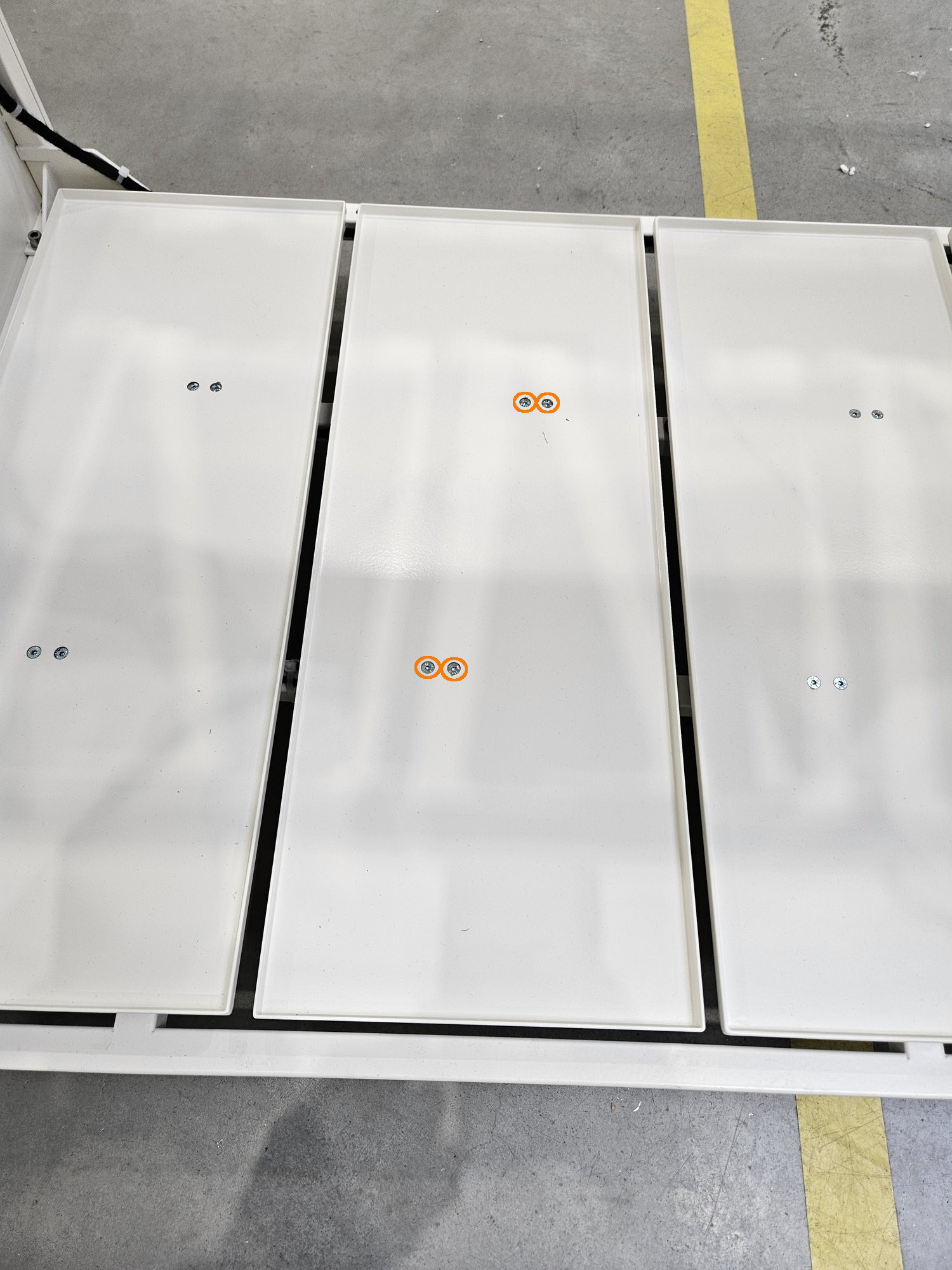 |
Step 2 Unplug the sensor
|
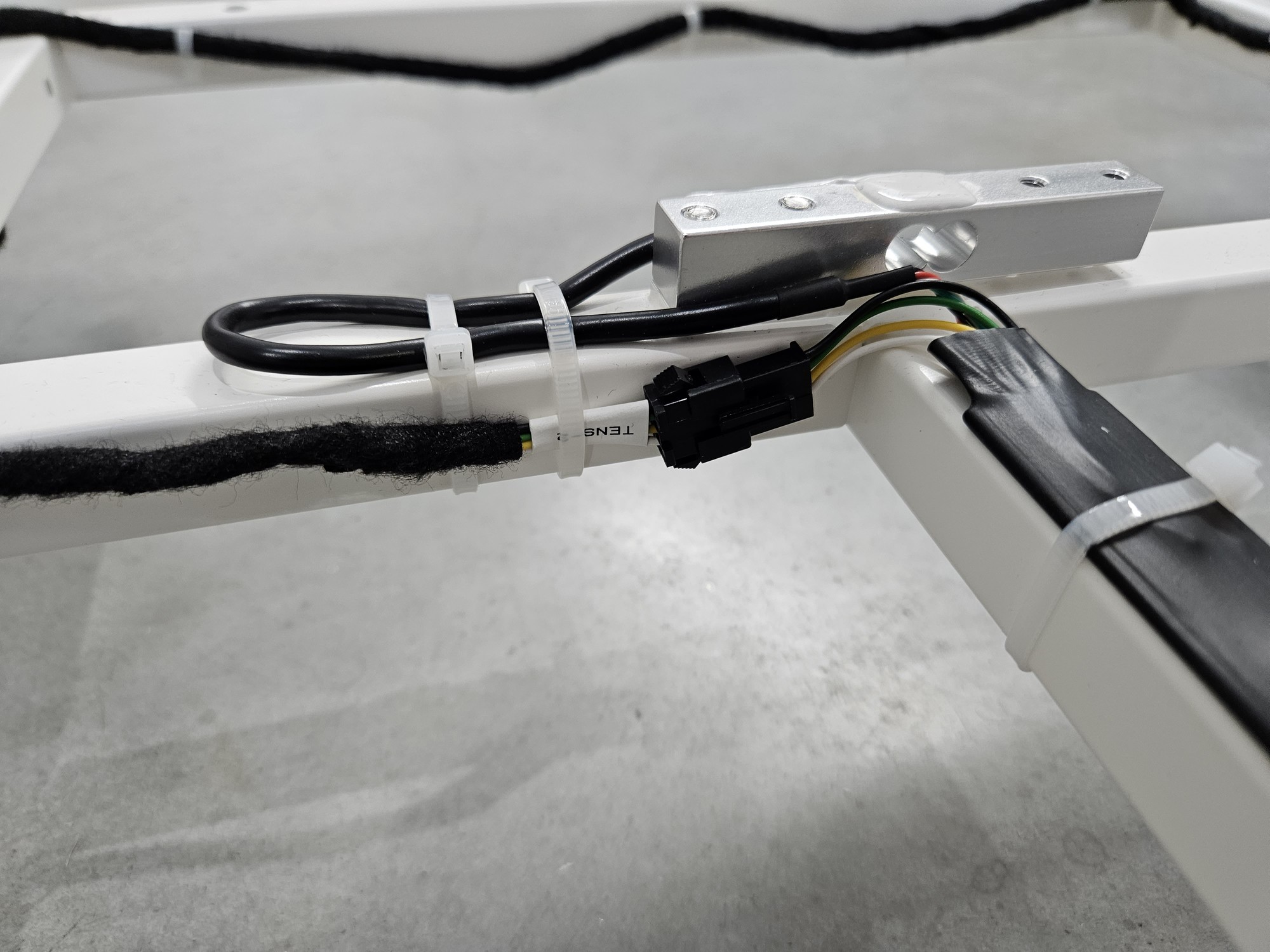 |
Step 3 Remove zippers
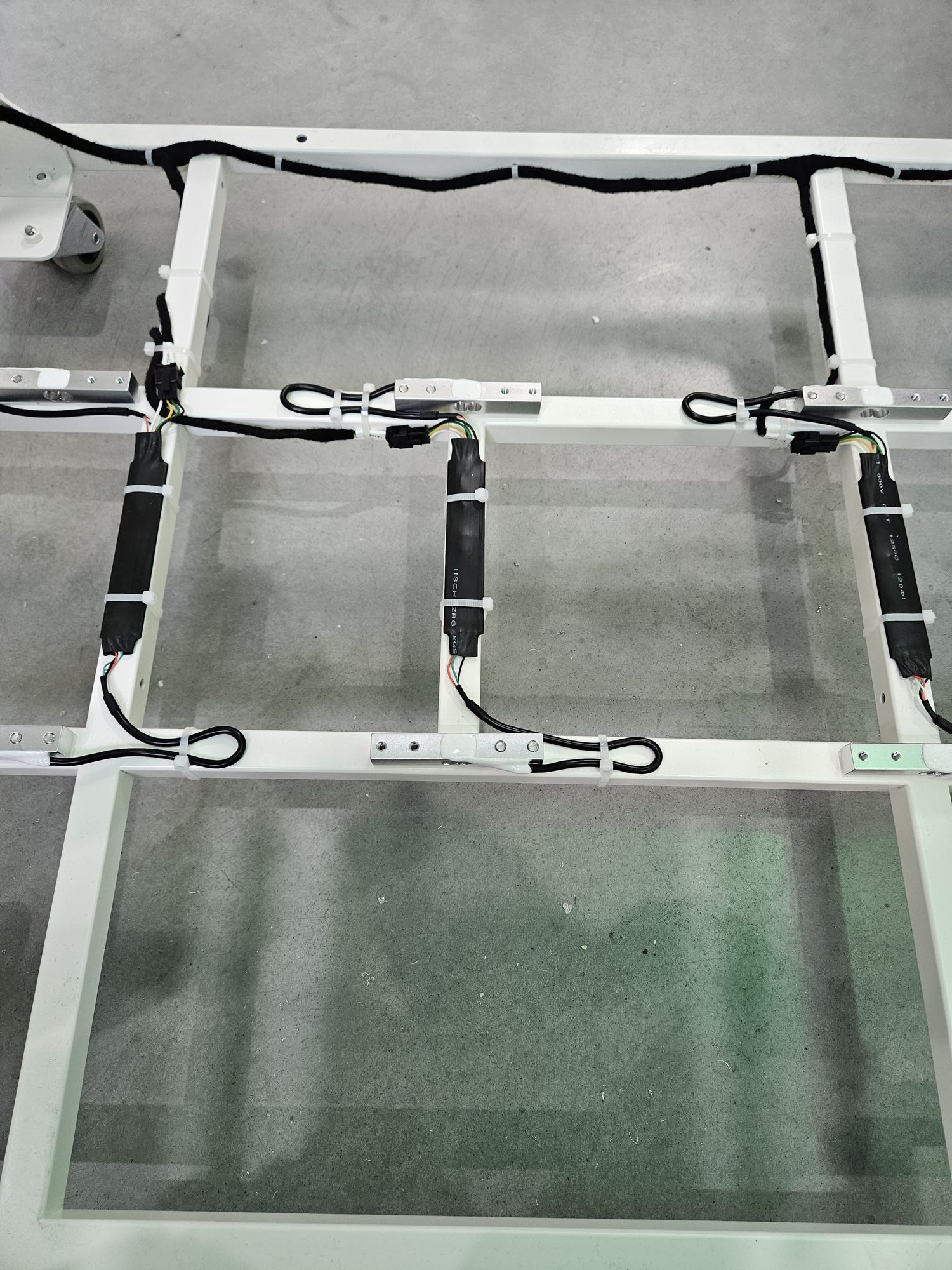 |
Step 4 Unscrew sensor form frame
|
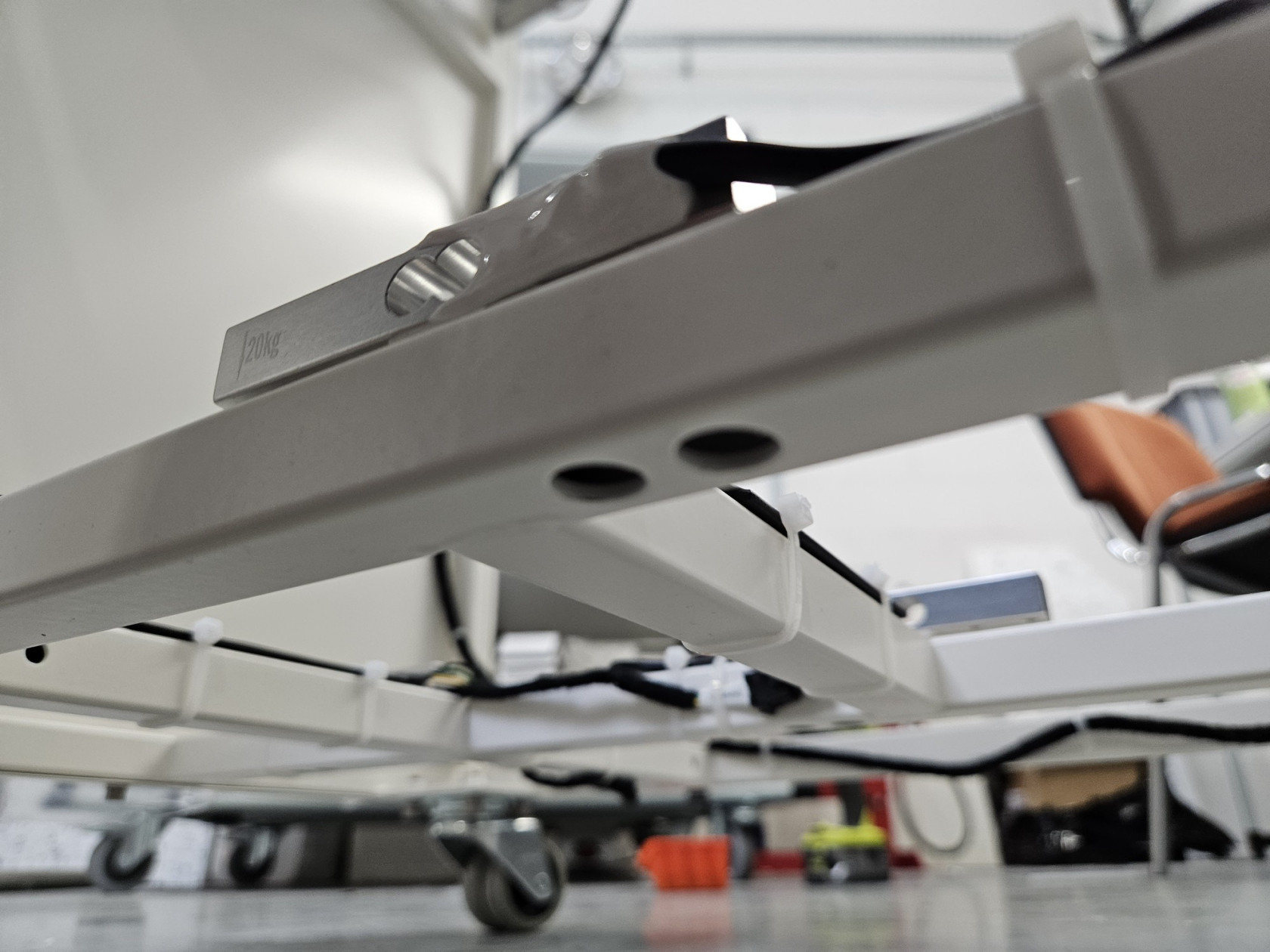
|
|
|
|
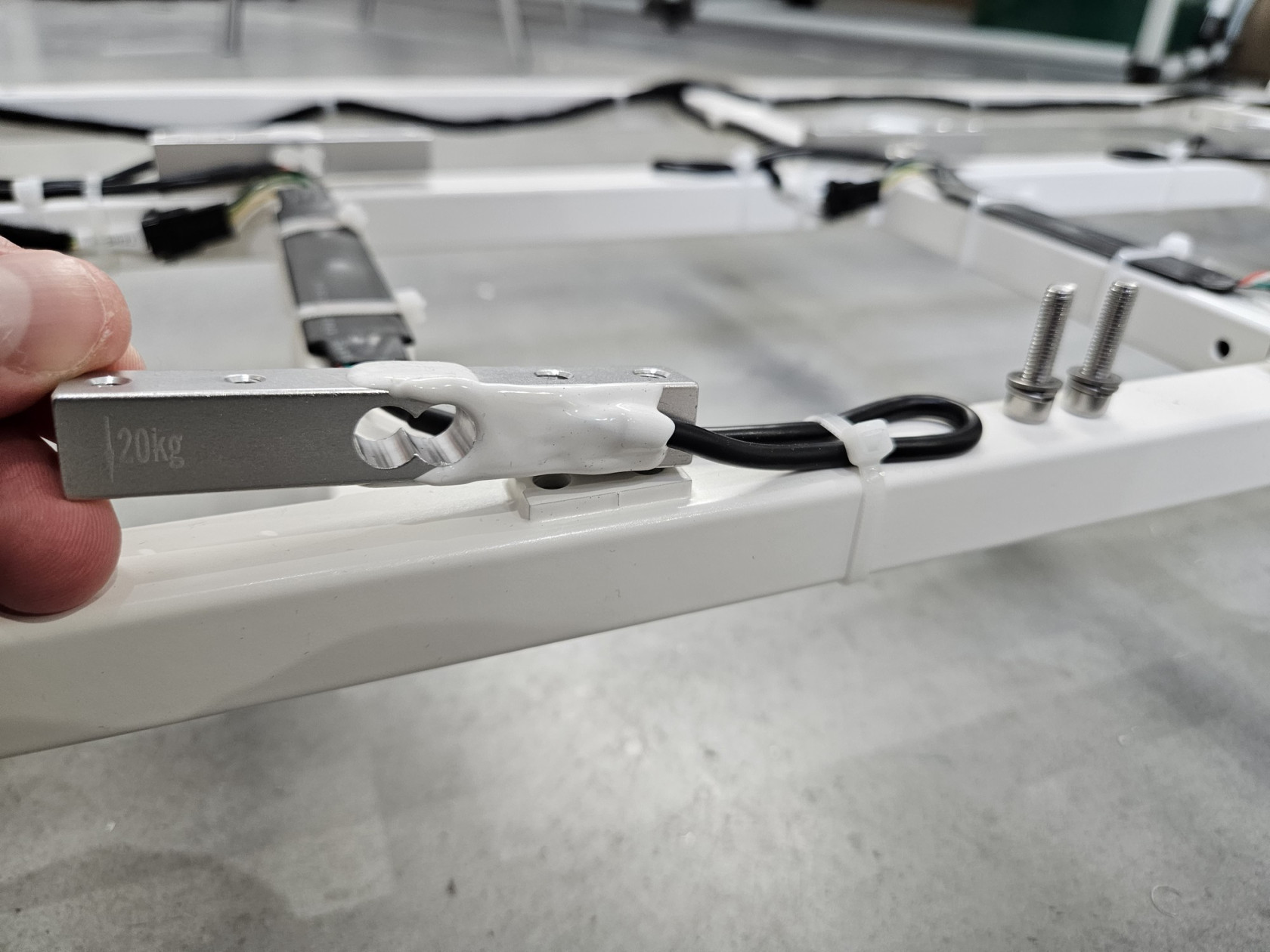
Step 5 Set new sensor
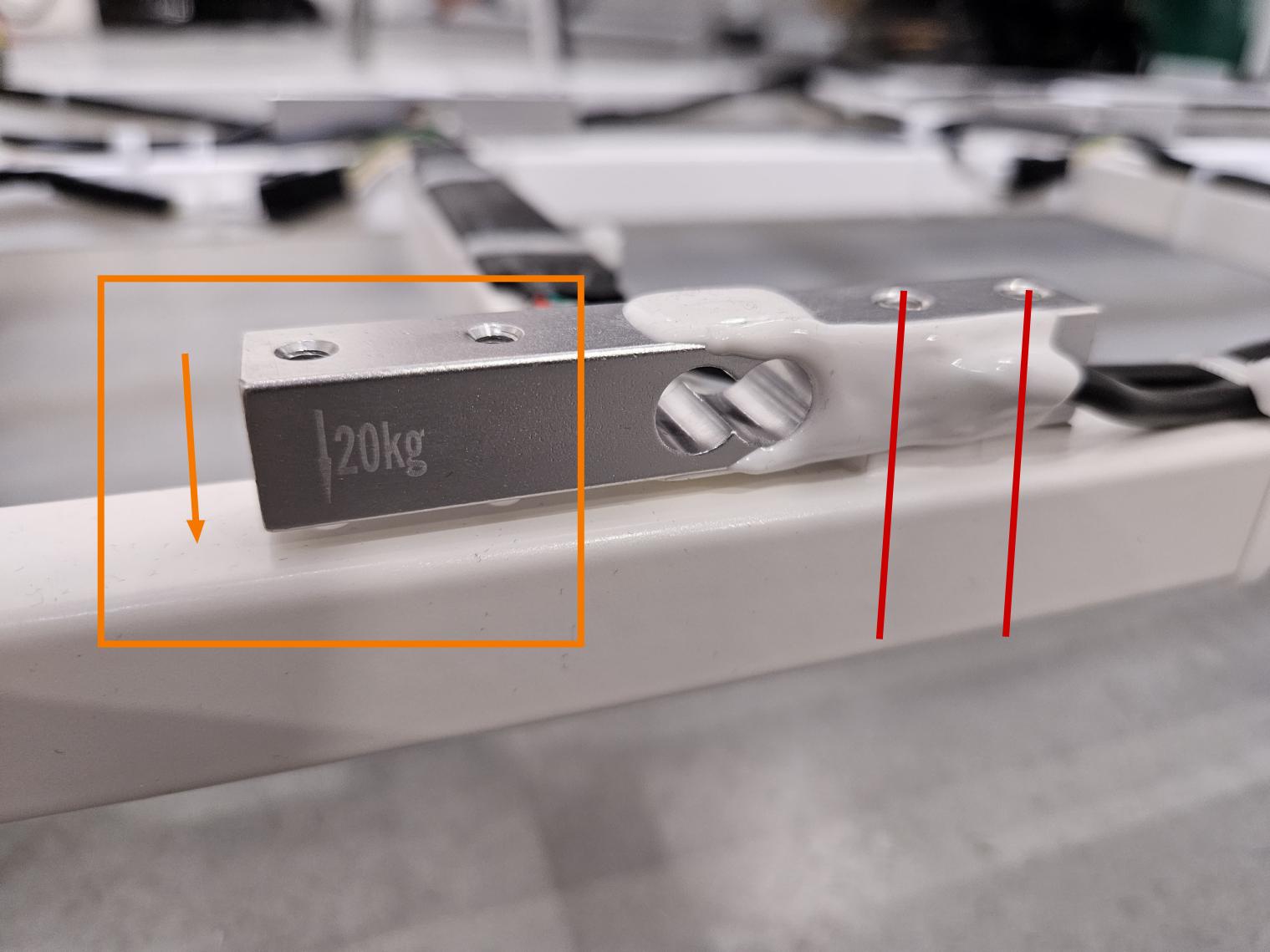
Pay special attention to the direction! The beam has an arrow drawn on it. This arrow should point down and be on the opposite side of the mounting screws to the frame! (see photo below)
On the front of the device, the arrow should be on the left and on the back on the right.
|
 |
Step 6 Secure cable and PCB with zippers
|
|
|
Step 7 Plug new sensor
|
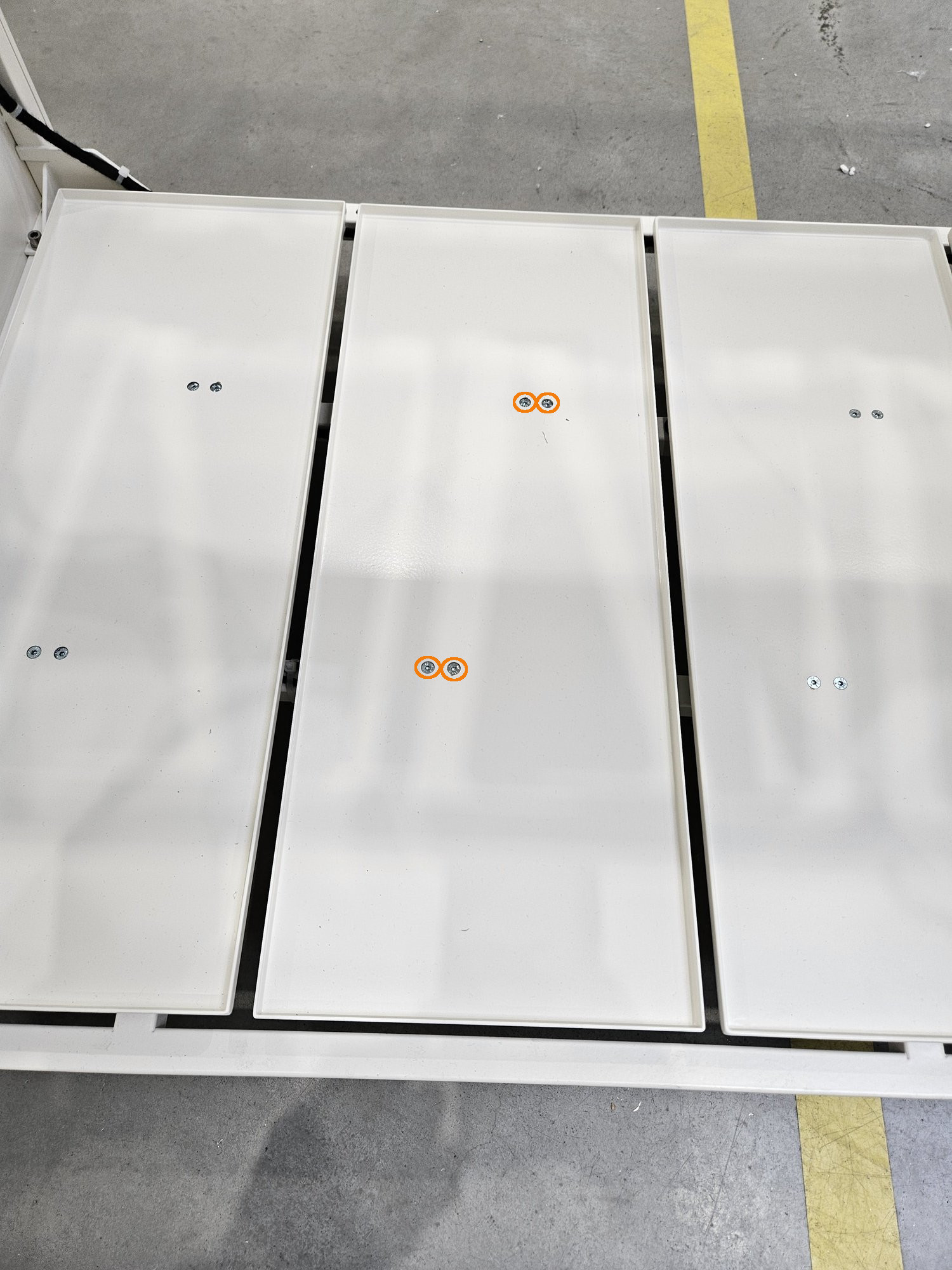
Step 8 Screw flor again
The floor is not symmetrical! Orient it similarly to the others!
 |
Step 9 Wieght calibration
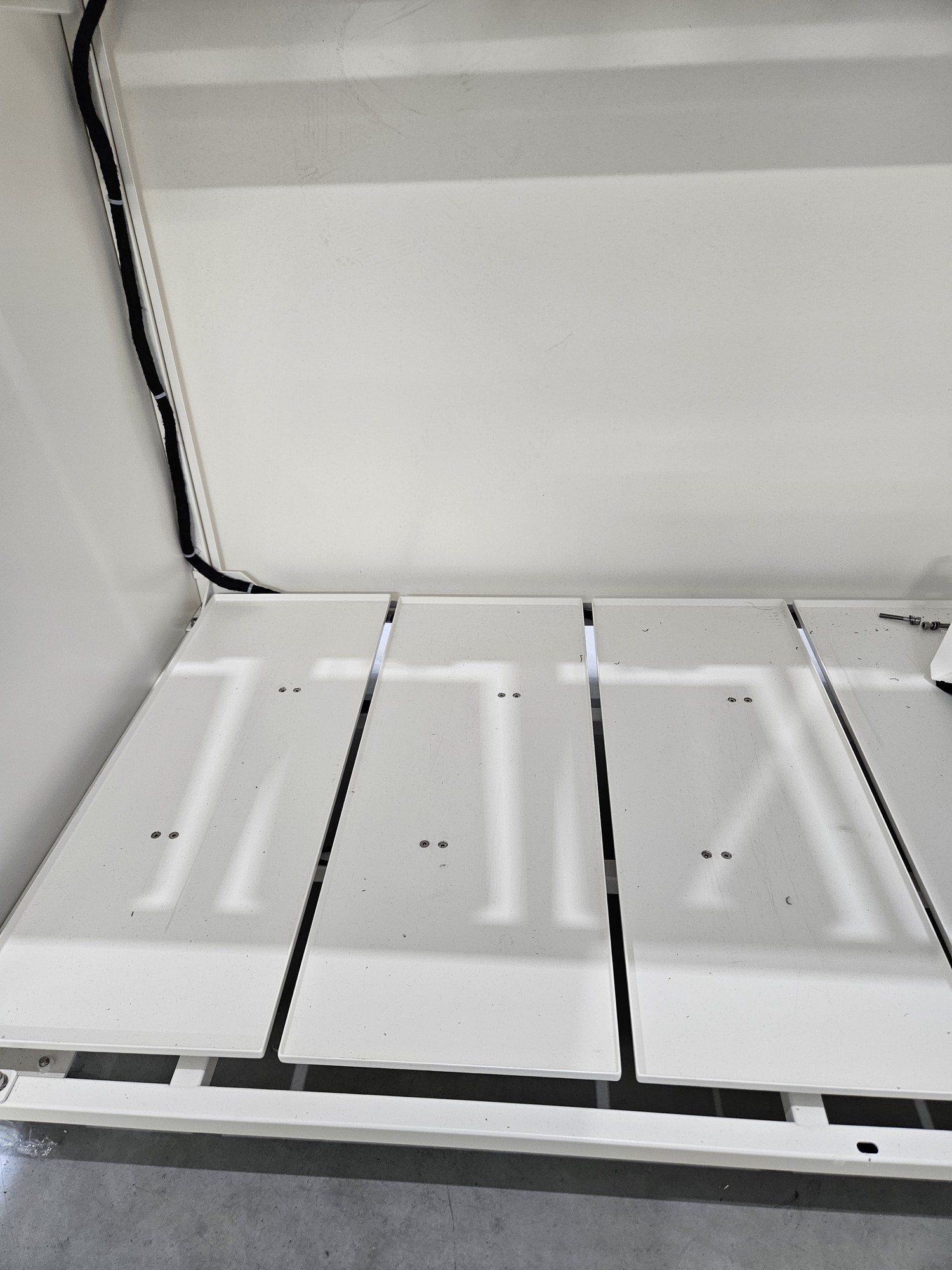
Full calibration is required after load cell replacement. THIS IS A DIFFERENT CALIBRATION THAN ZERO CALIBRATION FROM THE MENU. Right now there is no possible full calibration from user menu.
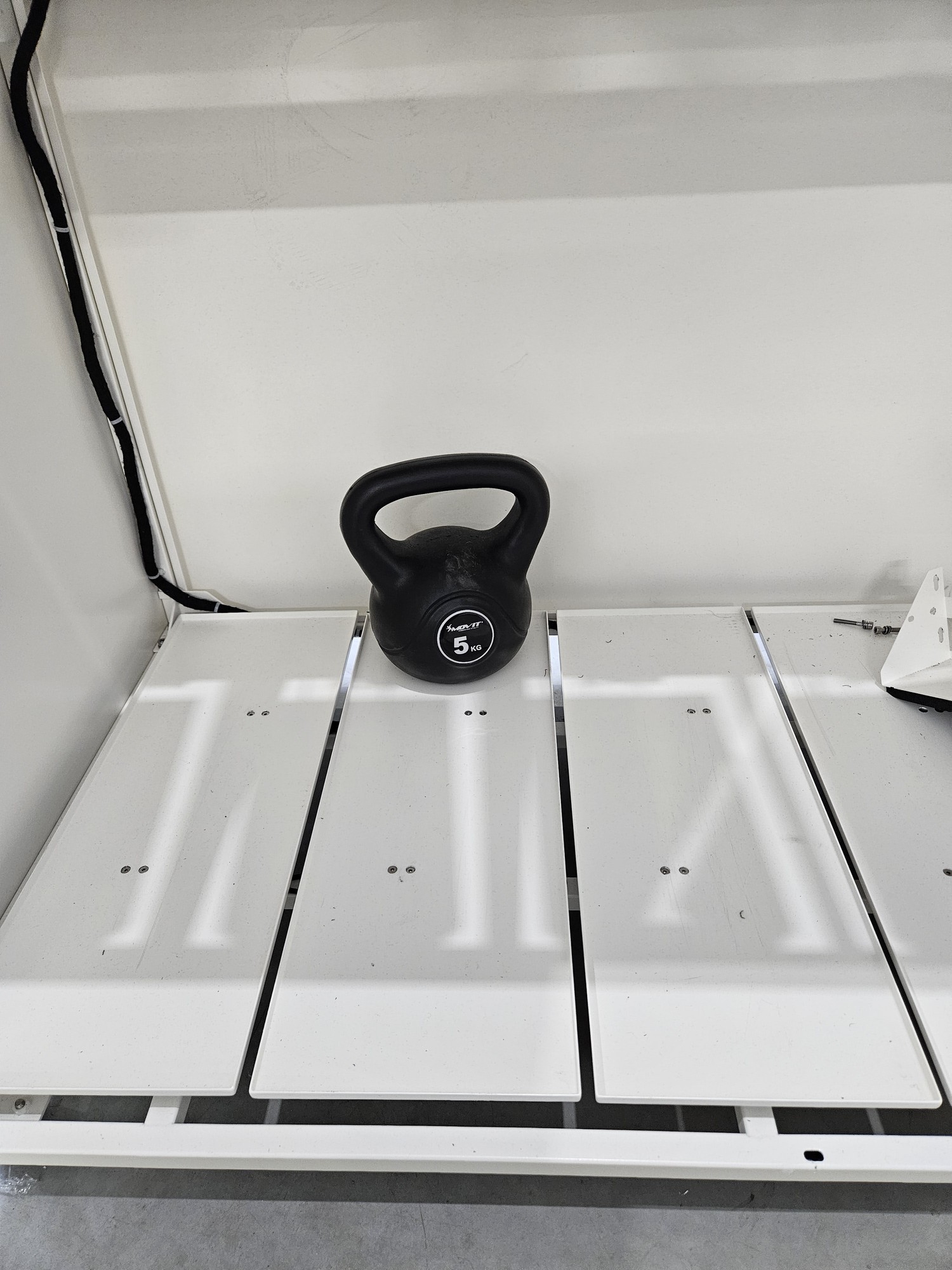
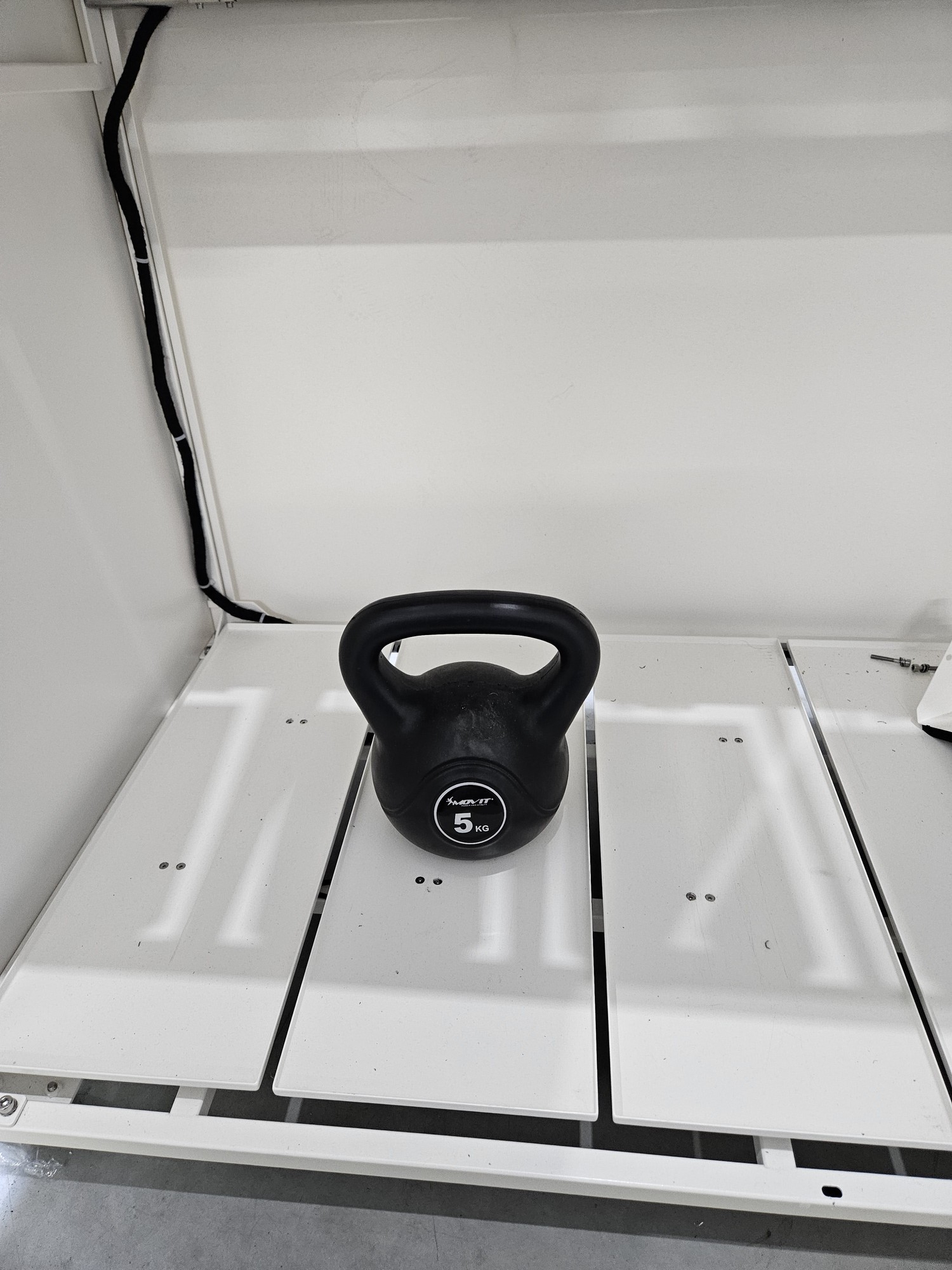
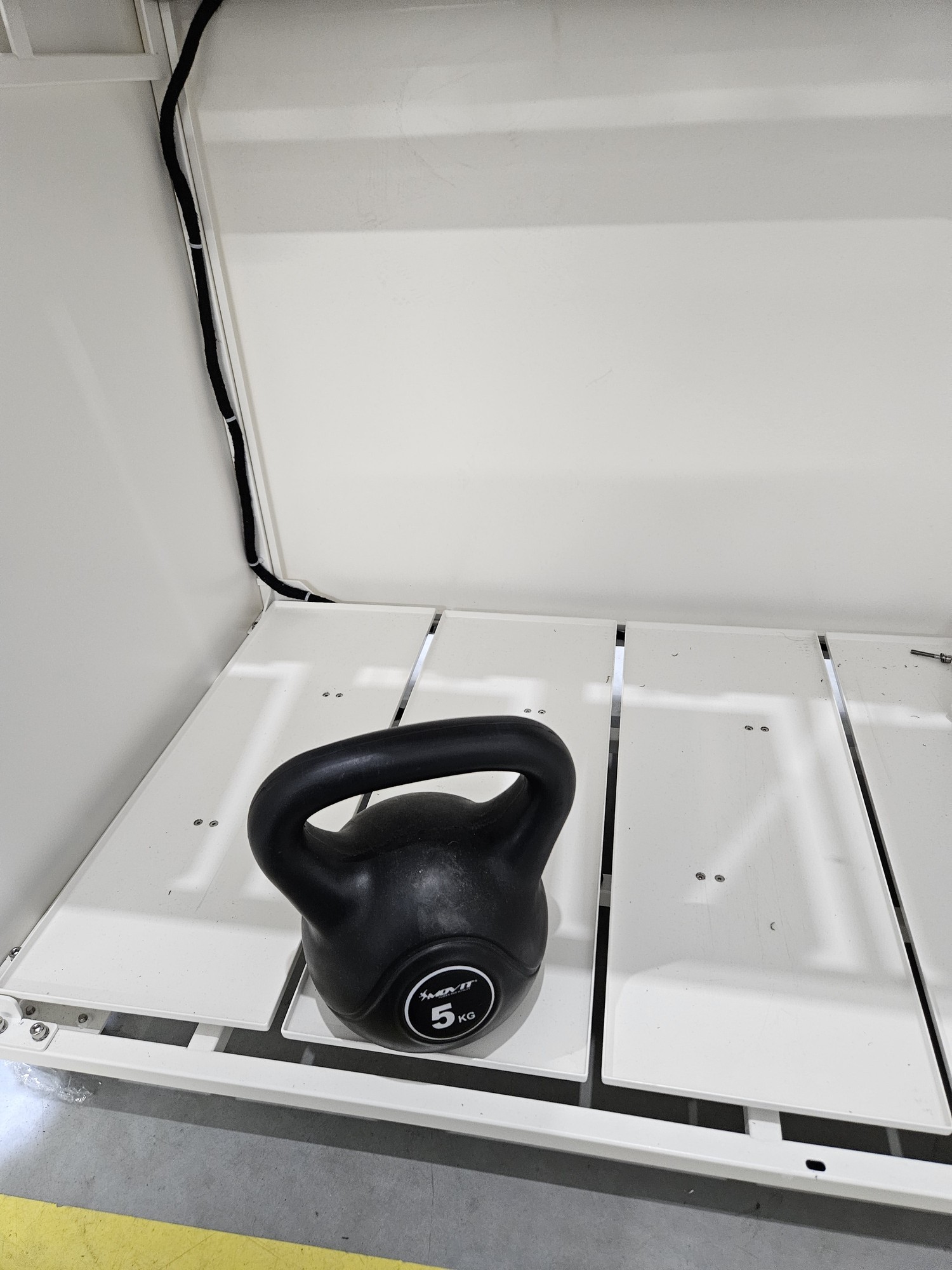
Calibration consists of 4 stages
1. hollow beam
2. load placed at the back
3. load placed in the middle
4. load placed at the front
 |
|
 |
|
 |
|
 |